
Commenting lets you give teachers feedback on the plans they've turned in, inside PlanbookEdu rather than over email.
Leaving a comment
- Open a turned-in week from the dashboard.
- Click Comments at the top.
- Type your feedback and click Save.
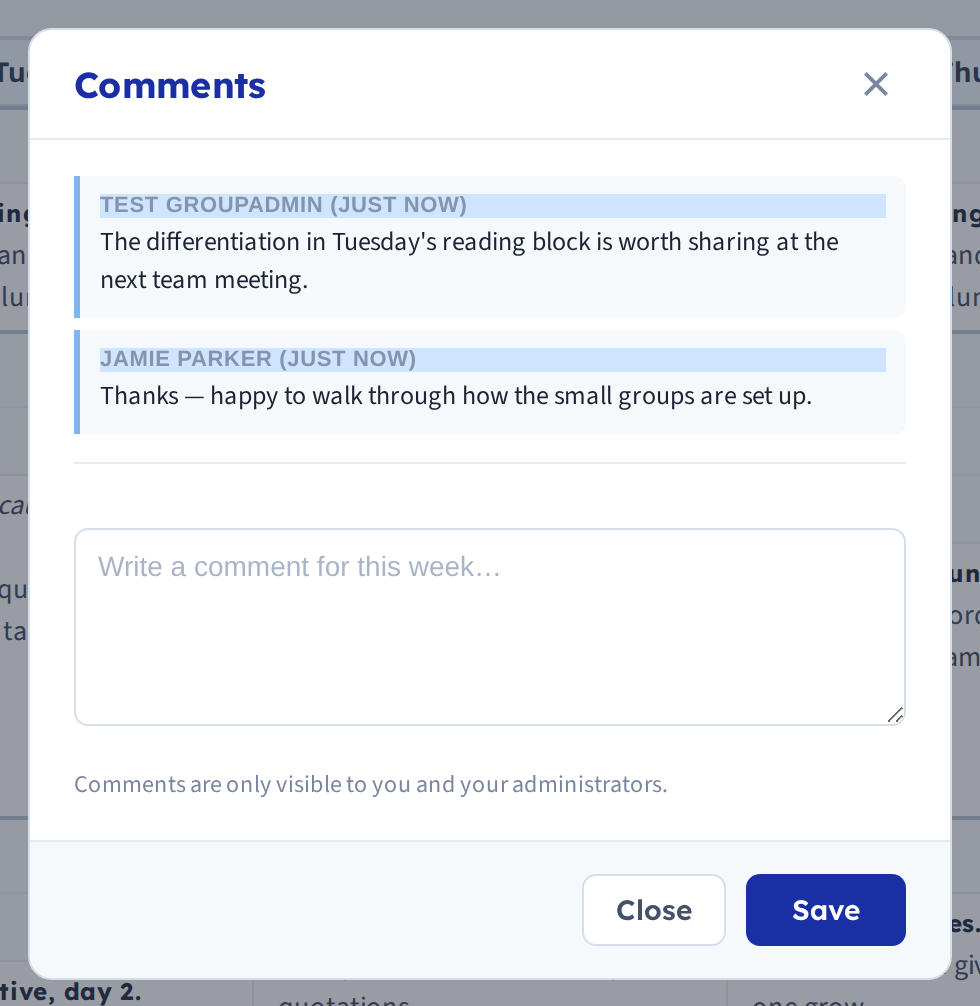
Teachers can reply
Teachers have the same Comments option in their own plans, next to the Turn In button. They can read what you've written and add comments of their own — so it's a conversation about a week, not a one-way note.
New comments from teachers appear in your Updates feed.
Things to know
You can't comment until a week is turned in. If the option isn't doing anything, the teacher hasn't submitted that week yet.
Comments belong to a specific week. Each new week starts with an empty comment box, so a point you want carried forward needs repeating — or saying elsewhere.
Getting value from it
The feature is small; the practice matters more than the mechanics.
- Comment on something specific. "The differentiation in Tuesday's reading block is worth sharing" lands better than "looks good."
- Reply to replies. Teachers can respond, and a comment thread that goes unanswered teaches people not to bother.
- Don't use it for anything formal. Comments are tied to a week and are awkward to collect together later, so evaluation records belong in whatever system your district uses for that.
Related: The administrator dashboard · Ask teachers to turn in planbooks