
"My standards are missing" usually means one of two things. They're different problems with different fixes.
The search box finds nothing
If you're in the lesson editor and no standards come up, the set almost certainly isn't enabled for this planbook.
Click Planbooks, then More > Standards for your planbook, and check the sets you expect are switched on — see Choose your standards set.
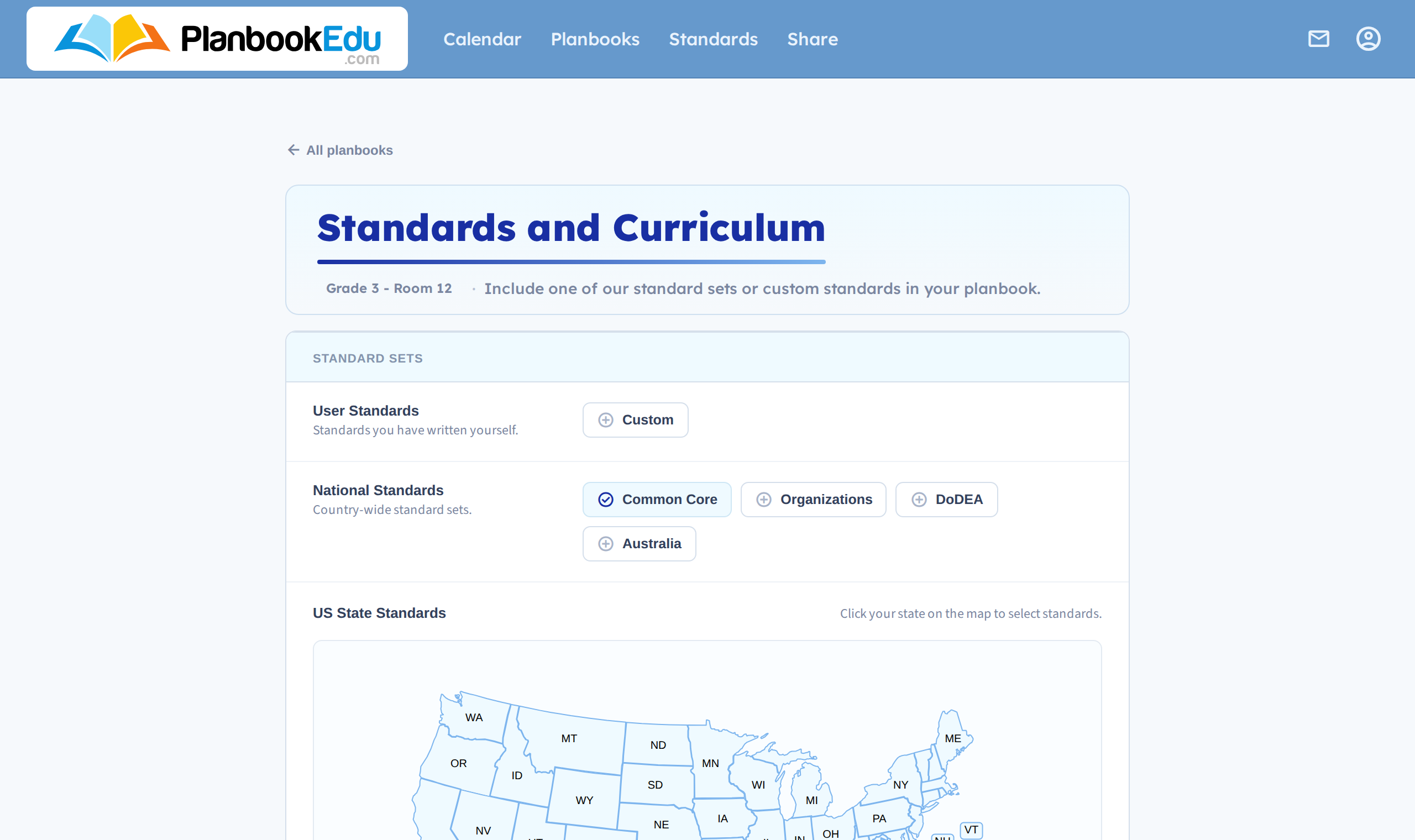
Standards are enabled per planbook, so a new planbook starts with none.
There's no Standards box at all
You're in quick edit. Standards only exist in the full editor — click the edit link rather than double-clicking the box.
Standards vanished from plans I'd tagged
They shouldn't. Turning a set off doesn't strip standards already attached to lessons — see Change your standards set.
Check you're in the right planbook, and that the wrench icon and its Standards display setting isn't hiding them.
The set I need isn't in the list
Then it's not missing so much as not there yet. Three options:
- Search community standards — over 600 sets shared by other teachers. Try this first; it's the fastest route and it's often already there.
- Create custom standards — type up what you need. They work identically to built-in sets.
- Request the set — send us a link to the official standards and we'll look at adding them. We can't promise a date, so do 1 or 2 in the meantime.
Still not right? Contact support with your planbook name and which standards you're looking for.