
Sometimes only one class loses its lesson — a lab that didn't arrive, an assembly that took a single block. You can bump that period alone and leave the rest of the day where it is.
How
- Grab the plan by its drag handle .
- Drag it onto the next day.
- In the menu that appears, choose to bump rather than replace.
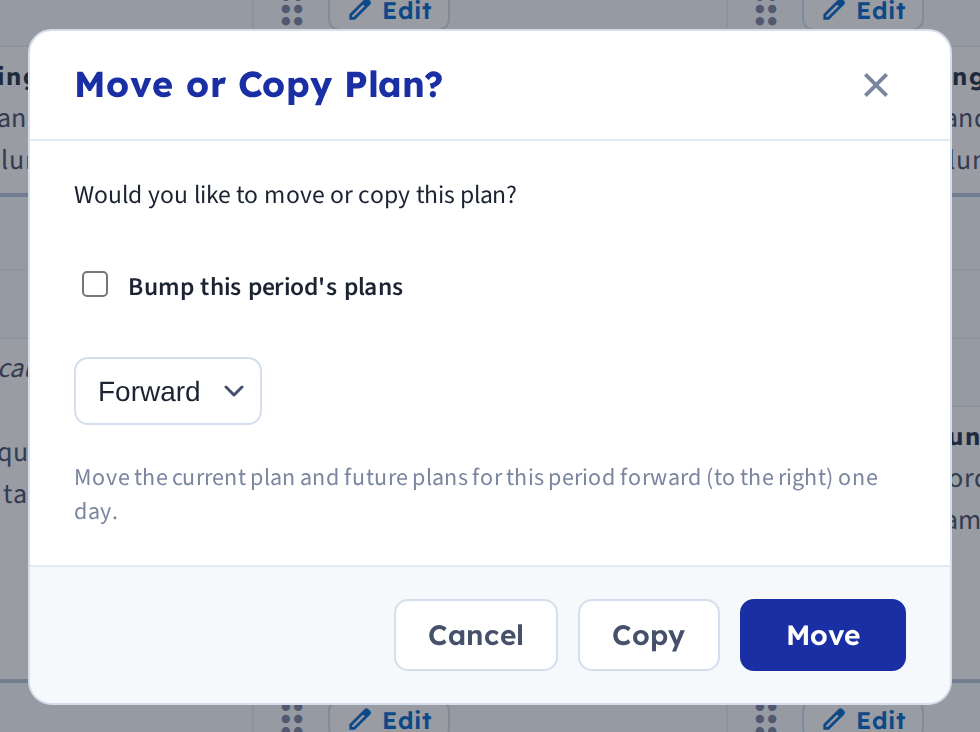
Bumping moves that period's plan forward and pushes the same period's future plans along with it. Choosing replace instead simply overwrites the plan you dropped onto, leaving everything else untouched — that's a move, not a bump.
Bump vs. replace
The menu offers both because they solve different problems:
- Bump — "this lesson didn't happen; shift this class along." Future plans for that period move too.
- Replace — "put this lesson here instead." Only the target is affected, and whatever was there is overwritten.
Going backward
Drag a plan back one day and you get the option to bump backward, pulling that period's future plans back with it. This only appears when dragging back exactly one day — see Bump plans backward.
When you want the whole day instead
If every period lost its lesson, bump the day rather than each period in turn: click the cog next to the day name and choose Bump. See Bump plans forward.
As with any bump, an Undo link appears at the top of the page afterwards.