
You made a new planbook, went to Share, and it isn't there.
Nothing is wrong. Your Shared Planbooks lists the shares you've created — not your planbooks. A brand-new planbook has no share yet, so there's nothing for that page to list.
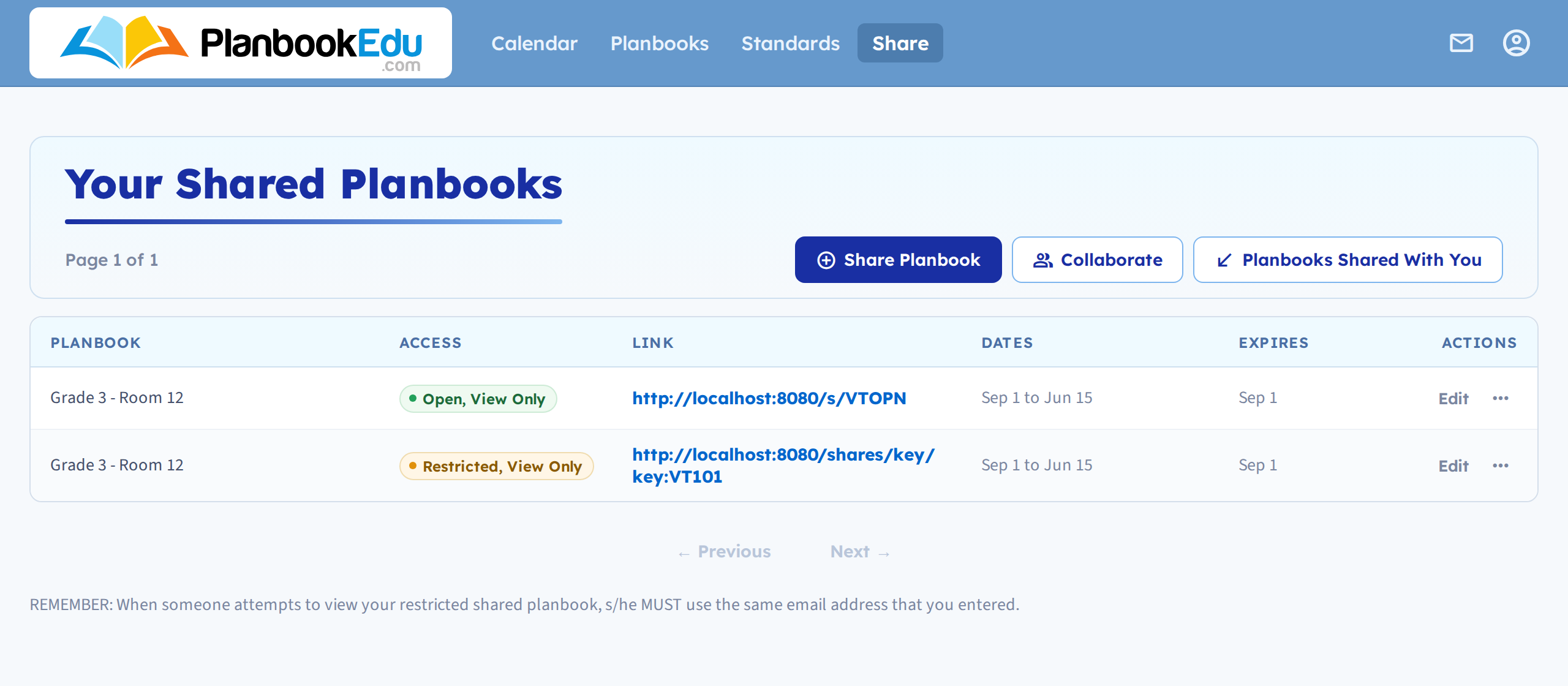
Create the share
- Click Share in the navigation bar.
- Click Share Planbook.
- Choose the new planbook from the Planbook menu.
- Set the dates, expiry and access, then Save.

It's now in the list with its own link. The full walkthrough of the other settings is in Share your planbook.
The form starts on whichever planbook you were last working in, so if you came straight from the new one it's probably already selected — worth a glance before you save.
Shares belong to one planbook
This is the part that catches people out. A share points at a single planbook, and nothing carries a share over to another one:
- A new school year is a new planbook — see Start a new school year. Last year's share keeps pointing at last year's planbook.
- Copying a planbook copies the plans, not the shares.
- Several planbooks means several shares, one per book.
So each new planbook needs its own share, and each one gets its own link. If you shared last year's plans with an administrator, send them the new link — the old one still works, and still shows the old planbook.
It isn't in the Planbook menu either
If the planbook is missing from the dropdown on the share form:
- It's archived. Archived planbooks can't be shared. Unarchive it first — see Archive a planbook.
- You're in a different account. Only planbooks you own are listed. Plans someone shared with you are under Planbooks Shared With You, and you can't re-share those.
Sharing a single week instead
If you only need to hand over one week, you don't need a share at all — see Share a week, day, or single period.
Related: Share your planbook · Share with an administrator · Manage multiple planbooks